Our ByteScout SDK products are sunsetting as we focus on expanding new solutions.
Learn More
Important Update
ByteScout SDK Sunsetting Notice
Our ByteScout SDK products are sunsetting as we focus on our new & improved solutions.Thank you for being part of our journey, and we look forward to supporting you in this next chapter!
Barcode Reader SDK
reads barcodes from scanned documents, PDFs, images, or webcam.
Key Benefits
Integrate barcode reading from PDF, JPG, PNG, TIFF images, and PDF into your applications in just a few minutes;
Battle-tested on millions of barcodes, PDFs, and images;
Works offline, no Internet connection required;
All popular barcode types:
linear barcodes: from Code 39, Code 128, EAN, UPC to GS1, EAN 13, and many others
2d barcodes: QR Code, Micro QR, Datamatrix, PDF417 and many others (MaxiCode and others);
Advanced QR Code reading engine for QR Code barcodes;
Optical marks recognition (OMR) from scanned documents:
reads checkboxes and radio boxes
extracts lines and other figures;
Reads noisy, rotated, skewed, and damaged barcodes;
Reads dots-based barcodes (Datamatrix, QR Code, and others);
Includes comprehensive documentation with many source code samples included;
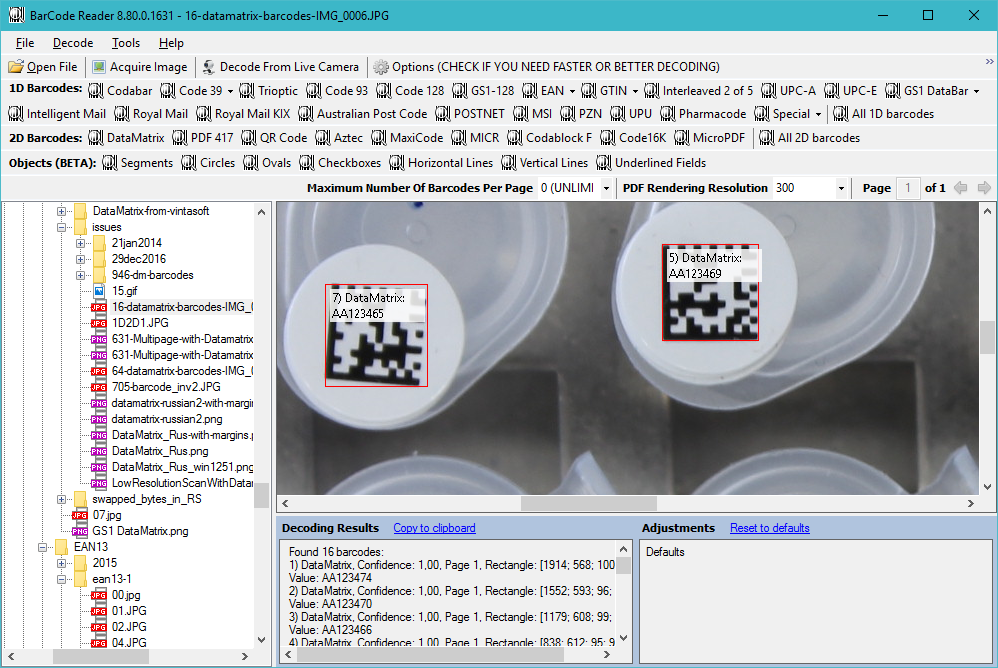
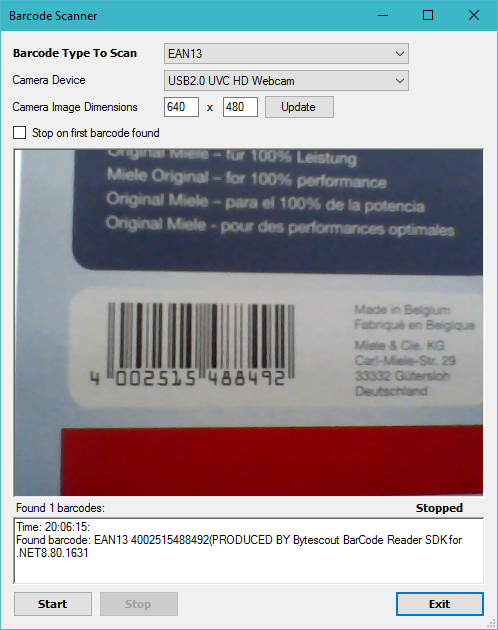
Includes test apps to quickly test barcode reading from images, PDF, and camera;
Additional PDF and TIFF images tools are included;
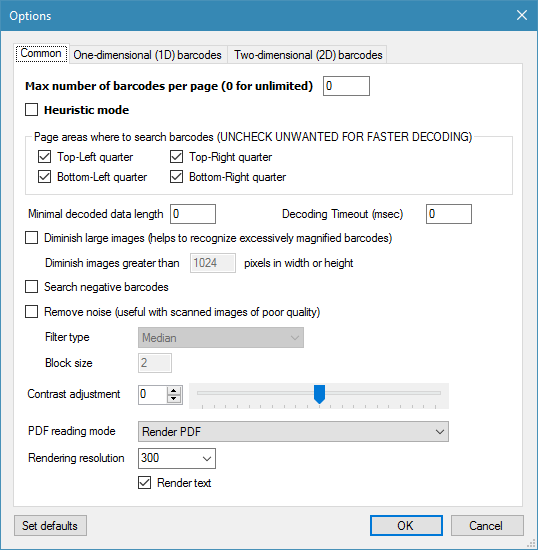
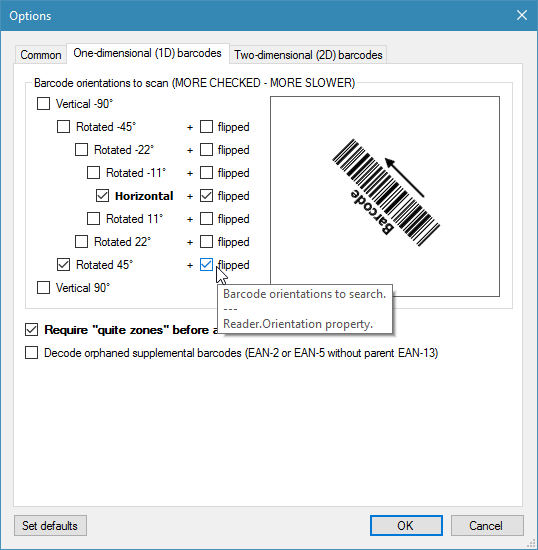
Highly configurable and customizable;
Priority technical support from barcode reading experts;
Additional Technical Details
Works in .NET 2.00, 3.5, 4.0, 4.5, ASP.NET and from legacy ActiveX compatible languages (ASP classic, Visual Basic 6) via .NET wrapper, scripting languages (VBA, JScript, VBScript), proprietary platforms (M-Files, RPA-like platforms and similar);
.NET, ASP.NET and .NET Core Frameworks compatible;
Reads linear barcodes: Code 128, Code 39, EAN 13, EAN8, Interleaved 2 of 5, ITF-14, UPCA, UPCE, Codabar, GS1 Databar, GS1 128, PostNet and many others;
We update and enrich our SDKs and API with new functionalities to improve user experience;
Developer-friendly API interface and for easy to use by programmers worldwide;
Technical support from barcode reading experts. Our customers share their impressions of the support here.
ByteScout Customer Testimonials
Solutions by Industry
POS: Barcode Reader is pre-installed into POS-prepared Elo Tablet by Elo Touch. Elo Tablet clients have a nice method to easily decipher QR Code from a built-in webcam;
Banking industry: Barcode Reader SDK and Barcode Generator SDK can help you to arrange your reports with a standardized identification classifier encoded into barcodes (like QR Code, Datamatrix, or similar) containing a label, classification, or unique id of your document. With Barcode Reader SDK these barcodes can be effectively decoded back into your app and process a vast number of scanned reports, and speed up the whole process significantly;
Hardware industry: you can use Barcode Reader to automatically track your gear by scanning barcode labels on hardware. Your app can use photo images to decode barcodes or even scan from the live camera;
Financial Technologies: you can use the barcode reader to automatically recognize and process each document and match it with existing records automatically via decoded barcode. Adding barcodes into existing documents is easy with Barcode Generator SDK, later these documents and PDFs can be scanned with Barcode Reader SDK.
It is an advanced developer guide for beginners and advanced developers. You can check it here. You will learn about the major SDK features of reading 1D and 2D barcodes from PDF as well as different image formats. You will export results into CSV, XML, and TXT. The webinar will show how to read checkboxes (OMR) and decode low-quality codes.
Barcode Reader SDK Whitepapers
ByteScout Barcode Reader SDK can bring value to many industries. Here are some of the Barcode Reader SDK use cases.
Healthcare
Barcode Reader SDK Screenshots
Not sure about barcodes and what type you should use? You’re not alone! we had so many questions from users about barcodes that we decided to put together a free e-book guide, “Introduction Into Barcodes” which is now available for download



 Important Update