Our ByteScout SDK products are sunsetting as we focus on expanding new solutions.
Learn More
Important Update
ByteScout SDK Sunsetting Notice
Our ByteScout SDK products are sunsetting as we focus on our new & improved solutions.Thank you for being part of our journey, and we look forward to supporting you in this next chapter!
The tech support is by far the best I have ever worked within 27 years of development. Questions are answered quickly and program fixes are created and are made available.
Excel is not required (the library uses its own custom engine to efficiently read, write and calculate spreadsheets. In addition Microsoft does not currently recommend, and does not support automation of Microsoft Office applications from any unattended, non-interactive client application or component (including ASP, ASP.NET, DCOM, and NT Services) (see Microsoft’s KB #257757 for more information);
Provides a clean and simple excel API to read and write Excel files;
Creates a spreadsheet with .NET code compatible with different security modes of ASP.NET web-servers
Mono .NET and.NET Core Frameworks compatible;
Comes with comprehensive documentation (150+ source code samples for C#, VB.NET, ASP.NET, Visual Basic 6, ASP Classic);
Works offline without Internet connection required;
Includes .NET, ActiveX, and command line (console) interfaces so it can be used from different environments;
Royalty-free licensing: no additional run-time licenses or run-time fees.
New Sensitive Data Suite features are now in Spreadsheet SDK – protect your documents by analyzing, detecting, and removing sensitive data and personally identifiable information (PII).
We constantly use modern and sophisticated technologies. Most of our tools include a mix of them and aim at achieving the best result.
Every tool includes a set ofsource codes and documentation that helps you to understand our products and solve your daily tasks easily.
We have many testimonials and remarks from our users regarding outstanding customer support. We are really happy to be helpful and to admit that people enjoy ByteScout products.
We improve and update our tools on a regular basis.
You’ll find that our products have a very friendly user interface and are easy to use.
Spreadsheet SDK Technical Details
Exports to PDF without any other libraries required;
Reads from CSV, XLS (Office 97-2010), XLSX (Office 2007-2010) and ODS (Open Office Calc);
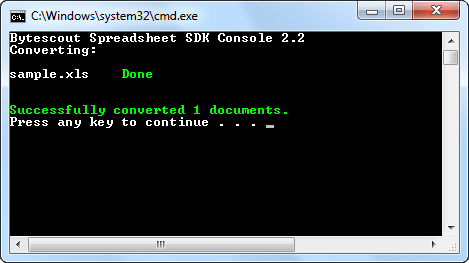
Converts spreadsheets from the command line or .bat command files using the C# Spreadsheet SDK Console version. Click here for details;
Can handle most of the incorrect formula values while calculating;
It comes with CSV to XLS samples.
Solutions for managers
Generate consumption reports and share them within your network if you’re working in the POS industry;
In the Healthcare industry, it creates reports which can be effortlessly imparted to others – with no other spreadsheet programming needed;
For Insurance, create reports that may be passed fast among other people – you don’t need a separate spreadsheet software installed;
In the Banking industry, you can create monetary (or other) reports which can be easily transmitted to others – with no other spreadsheet programming added;
In the Automotive industry, you can make your intermittent budgetary, efficient, or provider reports using the Spreadsheet SDK;
For AI, use our Spreadsheet SDK to process all information into different extensions (eg. XML, CSV, JSON), whichever suits your learning calculations the most;
In Financial Technologies, you can compose the gathered information into an alluring configuration from Excel spreadsheets to CSV or JSON.
ByteScout Customer Testimonials
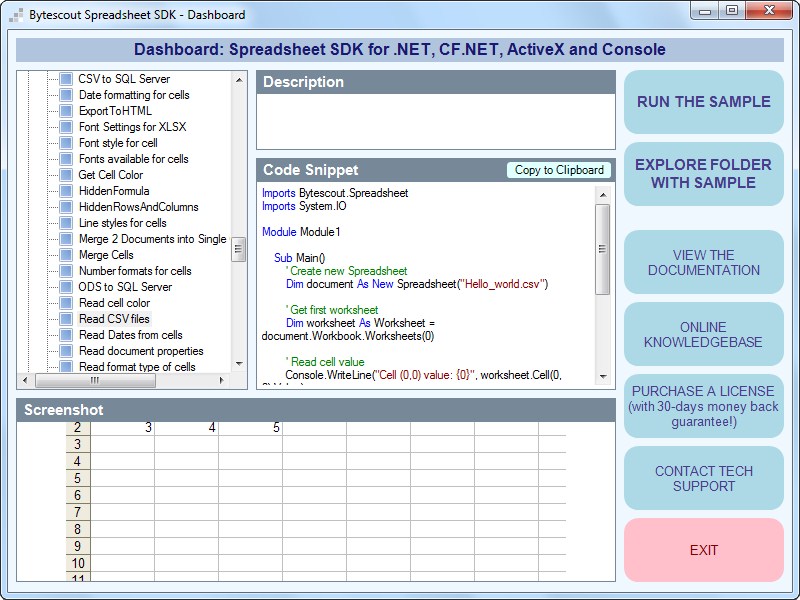
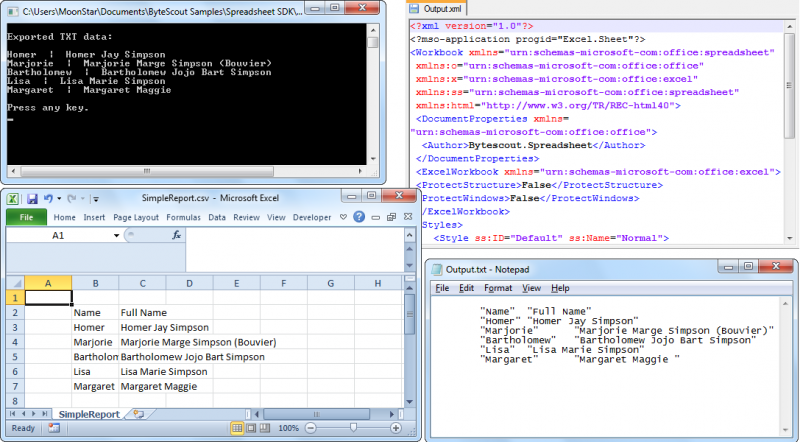
Spreadsheet SDK screenshots gallery
If you are looking for an affordable Spreadsheet tool with almost the same functionalities and extended business license – check ByteScout Spreadsheet Tool for businesses!



 Important Update