How to add combobox control in PDF document generated with PDFDoc Scout library

How to add combobox control on the page in PDF document generated with PDFDoc Scout library: 

Download example source code: pdfdocscout_example_combo_boxes.zip (55,3 KB)

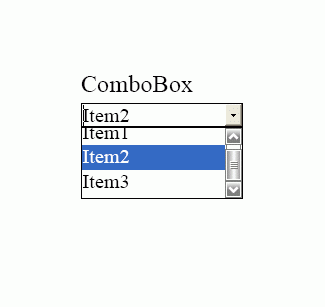
Screenshot (view produced pdf):

combobox was added on the page in generated PDF document
 ' create PDFDoc object
 
Set PDFDoc = CreateObject("PDFDocScout.PDFDocument")
 
' initialize library
 
PDFDoc.InitLibrary "demo""demo"
 
 
' set output filename for PDF document
 
PDFDoc.OutputFileName "pdfdocscout_example_combo_boxes.pdf"
 
' automatically open generated PDF document in default PDF viewer application
 
PDFDoc.AutoOpenGeneratedPDF = true

 
' starts PDF document generation
 
PDFDoc.BeginDocument

 
' add Combobox
 
Set DemoCombobox PDFDoc.Page.AddCombobox("DemoCombobox"100100150115)
 
' Add Items
 
DemoCombobox.AddItem "Item 1"
 
DemoCombobox.AddItem "Item 2"
 
DemoCombobox.AddItem "Item 3"
 
DemoCombobox.AddItem "Item 4"
 
 
' close pdf document generation
 
PDFDoc.EndDocument

 
' disconnect from library
 
Set PDFDoc = Nothing

Download example source code: pdfdocscout_example_combo_boxes.zip (55,3 KB)

Filed in: PDFDoc Scout SDK

Tutorials: