This sample code demonstrates how to get images from a scanner or a web-camera or any other TWAIN and WIA compatible device using Bytescout Scan SDK for .NET and Visual C#.
Full sample code is included into the SDK.
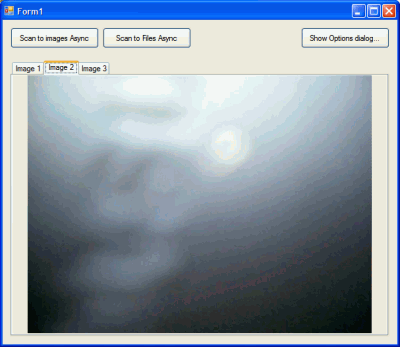
Screenshot of C# test application:
using System;
using System.Collections;
using System.ComponentModel;
using System.Data;
using System.Drawing;
using System.Text;
using System.Windows.Forms;
using System.Drawing.Imaging;
using Bytescout.Scan;
using System.IO;
namespace Test
{
public partial class Form1 : Form
{
public Form1()
{
InitializeComponent();
}
// Synchronous scan – temporary unavailable
private void btnScanToImages_Click(object sender, EventArgs e)
{
//Scan scan = new Scan();
//ArrayList images = scan.AcquireImages(this.Handle);
//FillTabsWithImages(images);
}
// Starts Asynchronous scan into images. When scan is finished then scan_TransferFinished event is called and array with images objects is passed into this event
private void btnScanToImagesAsync_Click(object sender, EventArgs e)
{
// create new Scan object
Scan scan = new Scan();
// set Scan object to save images into images array (will be passed as a paramtere in scan_TransferFinished event
scan.SaveTo = SaveTo.ImageObject;
// set function for scan finished event to indicate when image transfer is finished
scan.TransferFinished += new TransferFinishedEventHandler(scan_TransferFinished); // see scan_TransferFinished event below
// acquire images
scan.AcquireImagesAsync(this.Handle);
}
// this event captures scanned images and fills images into tabs
// you can also iterate through scannedImages array to get each image as an Image object instead
void scan_TransferFinished(Scan sender, ArrayList scannedImages)
{
FillTabsWithImages(scannedImages);
}
// this function puts retrieved images objects into tabs on the form
private void FillTabsWithImages(ArrayList images)
{
tabControl1.TabPages.Clear();
for (int i = 0; i < images.Count; i++)
{
TabPage page = new TabPage();
PictureBox pb = new PictureBox();
pb.Dock = DockStyle.Fill;
pb.SizeMode = PictureBoxSizeMode.Zoom;
if (images[i] is Image)
{
page.Text = "Image " + (i + 1).ToString();
pb.Image = (Image) images[i];
}
else
{
page.Text = (String) images[i];
pb.Image = Image.FromFile((String) images[i]);
}
page.Controls.Add(pb);
tabControl1.TabPages.Add(page);
}
}
// acquire images into files automatically saved into the given folder with given image format and filename
private void btnScanToFilesAsync_Click(object sender, EventArgs e)
{
// create new Scan object
Scan scan = new Scan();
// set SDK to save images into files
scan.SaveTo = SaveTo.File;
// scan.FileNamingTemplate = "ScannedImage_{0:D2}"; // you can set output filename template
// set output format as JPG image format
scan.OutputFormat = OutputFormat.JPEG;
// you can set output folder as well, by default output folder is the same where executable .exe is running
//scan.OutputFolder = Path.GetTempPath();
// assign the event to indicate when image transfer is finished
scan.TransferFinished += new TransferFinishedEventHandler(scan_TransferFinished);
// acquire images
scan.AcquireImagesAsync(this.Handle);
}
// displays ready-to-use options dialog for the scan SDK
private void btnOptions_Click(object sender, EventArgs e)
{
Scan.ShowOptionsDialog(new Scan());
}
}
}
[/vb]



 Important Update


